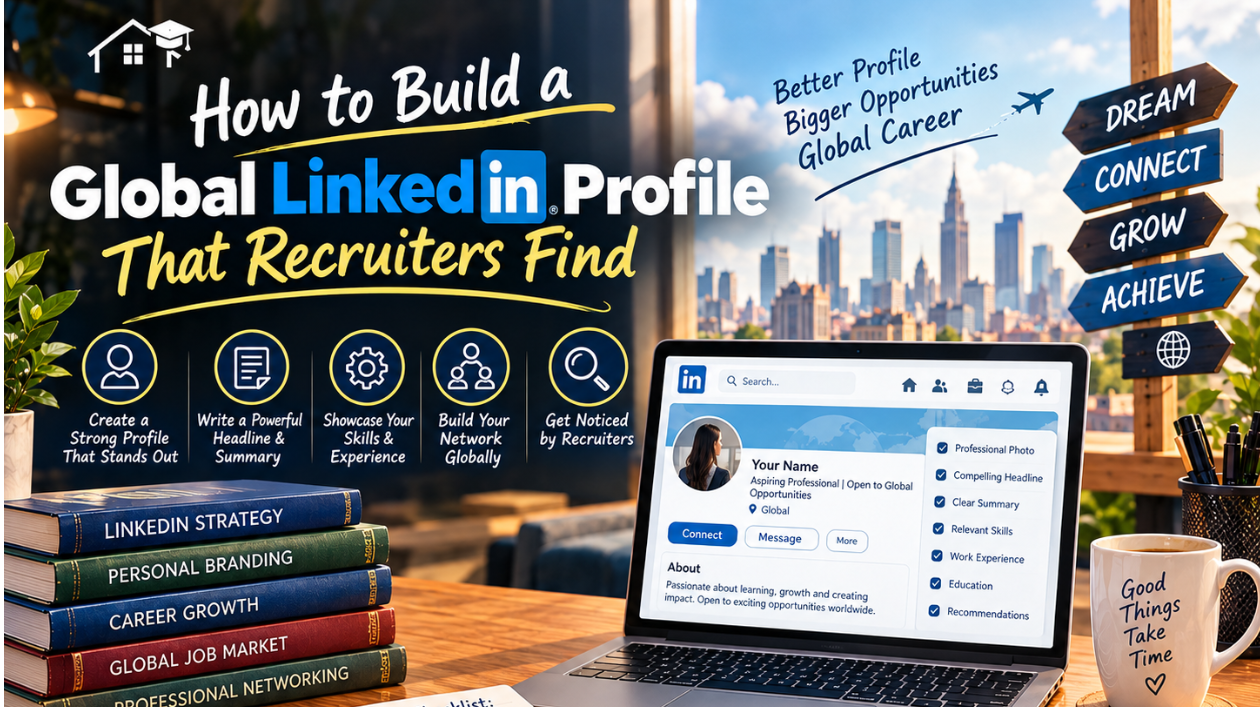
LinkedIn is where many recruiters start looking for candidates, often before a job is even advertised. If you are a student or graduate hoping to work or study abroad, your profile is your international first impression. A recruiter in another country will not know your university, your local grading system or your city, so your profile has to do the explaining for you.
This guide shows how recruiters actually find people on LinkedIn, how to build each section of your profile so it is searchable and clear across borders, which settings to use, and how to stay safe from fake recruiters.
How Recruiters Actually Find You
Recruiters do not usually scroll through feeds looking for talent. Most use LinkedIn Recruiter, a paid search tool, where they filter candidates by things such as job title, location, skills, current and past employers, years of experience and education. LinkedIn has also added AI-assisted search, so a recruiter can type a natural sentence such as "junior data analyst with SQL experience in Berlin" and the system turns it into filters.
Search results then show only a few lines of each profile, mainly your photo, headline and current role, and recruiters decide in seconds whether to click. After that, your About section, experience and skills decide whether they contact you.
The exact ranking rules are not public, and many online claims about percentages and "algorithm weights" are guesses. What is reliable is the principle: recruiters search with keywords and filters, so your profile must contain the words they use, in the places they look, and it must be clear and believable when they open it.
Step 1: Decide Your Target Before You Edit Anything
A profile that tries to appeal to everyone is found by no one. Before you change a word, decide:
- Your one to three target job titles, for example "Junior Data Analyst" or "Marketing Assistant".
- Your target countries or regions, including whether you want remote work.
- The skills and tools that appear repeatedly in job advertisements for those roles.
Open five to ten job descriptions for your target role and note the repeated words. These are your priority keywords.
Step 2: Choose a Clear Photo and Banner
Use a recent, well-lit headshot with a plain background, a friendly expression and your face clearly visible. It does not need to be professional photography. Avoid group photos, sunglasses and heavy filters. For the banner, use a simple image related to your field, such as technology, design or healthcare, or leave a clean solid design.
Photo norms differ by country, but a simple, professional photo is widely accepted on LinkedIn. Do not include age, marital status or religion anywhere on your profile.
Step 3: Write a Searchable Headline
Your headline appears in search results, comments and messages, so it is one of the most important fields on your profile. It can be up to 220 characters. Instead of only "Student", include the role you want, your key skills and your focus.
A useful formula: Target Role | Key Skills | What You Offer or Where You Are Looking.
Examples:
- Computer Science Graduate | Junior Data Analyst | SQL, Python, Power BI | Open to roles in Germany and remote in Europe
- Business Administration Student | Marketing Intern | SEO, Social Media, Canva | Seeking summer 2027 internships in the UK
- Nursing Graduate | Registered Nurse Candidate | Patient Care, Clinical Placements | Interested in international healthcare roles
Use the words recruiters would type, not creative titles. "Data Analyst" is searchable; "Numbers Ninja" is not.
Step 4: Write an About Section That Works Worldwide
Recruiters often read only the first two or three lines before deciding whether to click "see more", so put your strongest information there. Write in the first person, keep the tone professional and friendly, and include your main keywords naturally.
A good structure:
1. Who you are and what you do, in one sentence.
2. Your strongest evidence, such as projects, results or experience.
3. Your key skills and tools.
4. What you are looking for, and where.
5. How to contact you.
Example:
"I am a computer science graduate who turns messy data into clear decisions. During my final year project, I built a dashboard that helped a local retailer track weekly sales and cut reporting time by half. I work with SQL, Python and Power BI, and I am looking for junior data analyst roles in Germany or remote positions in Europe. I speak English fluently and am learning German. You can reach me at the email below."
Step 5: Show Achievements in Your Experience Section
Even without full-time jobs, you have experience to show: internships, volunteering, society roles, freelance work, research and academic projects.
For each entry:
- Use a clear title and organisation.
- Describe what you did and what changed because of it.
- Use numbers where they are true, such as team size, users, savings or results.
- Add the tools and skills you used.
Instead of "Responsible for social media", write "Managed the society's Instagram account, growing followers from 800 to 2,500 in six months and increasing event sign-ups by 30 percent." Only include numbers that you can honestly support.
Step 6: Add the Right Skills and Get Recommendations
Skills are searchable, so list the ones that match your target roles, with the most important first. Combine technical skills (such as Python, Excel or AutoCAD) with soft skills (such as communication and teamwork), and remove skills that are irrelevant to your goals.
Ask professors, supervisors and teammates for short recommendations after you have worked with them. A sincere note from someone who has seen your work adds credibility, especially when a recruiter cannot verify your local references easily.
Step 7: Make Education and Achievements Understandable Abroad
Recruiters in another country may not know your university, your grading scale or your qualification. Help them:
- Write the full degree name, the field and the years, for example "BS Computer Science (4-year degree)".
- Add a brief note if useful, such as the country and type of institution.
- Explain your grading system in one line if you list a grade, for example "CGPA 3.6/4.0".
- Add certifications, online courses, awards, publications and projects.
- Use the Featured section to link to your portfolio, GitHub, published work or a short presentation.
Step 8: Localise Your Profile for International Recruiters
Language. Make English your primary profile language unless you are targeting a specific non-English market. LinkedIn also lets you create a profile in another language, which makes it easier for members and recruiters to find you. This feature is not available on the LinkedIn mobile app, so use a computer. Add a Languages section with your real proficiency levels.
Job titles and terms. Different countries use different words. What is an "internship" in one country may be a "placement", "co-op" or "traineeship" in another. Use the terms used in your target country's job advertisements.
Explain local context. If your employer or university is not internationally known, add a short description such as "leading private university in Lahore, Pakistan" or "family-owned retail business with 20 employees".
Location and time zone. Make sure your location is accurate, and mention if you are open to relocating or working remotely and across time zones.
Work authorisation. Be honest about your situation. If you have or are eligible for a relevant visa or work permit, you can mention it, but never claim work authorisation you do not have. Rules differ by country, so check official immigration sources.
Customise your profile link. A short, clean public profile URL that uses your name looks more professional on CVs and emails.
Step 9: Use Open to Work Settings Wisely
The Open to Work feature lets recruiters know you are looking for opportunities. You can choose who sees it:
- All LinkedIn members. This adds the #OpenToWork photo frame, and it is visible to everyone, including people at your current company.
- Recruiters only. Only people using LinkedIn Recruiter see it. LinkedIn takes steps to stop recruiters at your current company from seeing your preferences, but it cannot guarantee complete privacy.
- Visible only to you. Your preferences are used only to tailor your job recommendations.
When you set it up, enter the job titles you want and your preferred locations, because LinkedIn says this helps your profile show up in search results when recruiters look for suitable candidates. Choose realistic locations, and specify remote, hybrid or on-site so you do not receive mismatched outreach.
Step 10: Build Your Network Across Borders
- Connect with alumni from your university who work in your target countries.
- Follow companies and professionals in your field, and turn on job alerts.
- Send personalised connection requests with a short note about why you want to connect.
- Join relevant professional groups and communities.
- Attend virtual events and webinars, and follow up with the people you meet.
Ask for advice, not favours, and never ask a stranger for a job in your first message. Our guide to networking for students explains this in more detail.
Step 11: Stay Active
A complete profile helps you get found, and activity shows you are engaged in your field. Share what you are learning, describe a project, comment thoughtfully on posts from professionals in your industry, or congratulate a contact on an achievement. Posting or engaging a few times a week is enough. Keep it professional and avoid controversial topics.
Step 12: Protect Yourself From Fake Recruiters
Scammers use LinkedIn to impersonate recruiters and post fake jobs, and they often target entry-level job seekers. Watch out for:
- A recruiter whose email address does not match the company they claim to represent, such as a "recruiter" using a free email service.
- A profile with few connections, a very new account or a stolen photo.
- A job that does not appear on the company's official careers page.
- Requests for your passport, bank details or other sensitive information early in the process.
- Any request for payment for training, equipment, visas or "processing fees". Legitimate employers do not charge you to get a job.
- Pressure to move the conversation quickly to WhatsApp or another app.
Verify recruiters independently by searching for the company and the person separately, and turn on two-factor authentication for your LinkedIn account. Review your privacy settings so that you control who can see your contact details and activity.
Profile Checklist
1. Clear photo with a simple background
2. Headline with target role, key skills and location or goal
3. About section with strong first lines and keywords
4. Experience entries with achievements and tools
5. Education explained in a way an international reader understands
6. Skills matched to your target roles
7. At least two recommendations
8. Projects, certifications and portfolio links in the Featured section
9. Languages listed with honest proficiency
10. Location, remote and relocation preferences clear
11. Open to Work set with your preferred visibility
12. Custom public profile URL
13. Two-factor authentication turned on
14. Weekly activity, even small
Common Mistakes to Avoid
- A vague headline such as "Student at XYZ University"
- Keyword stuffing, which makes your profile hard to read and less credible
- Copying a CV without adding context for international readers
- Exaggerating skills, titles or results
- Listing dozens of irrelevant skills
- Ignoring messages, or replying to unsafe ones
- Never updating your profile after new projects or courses
Frequently Asked Questions
Should I write my profile in English?
For international opportunities, yes. You can also add a second language profile for local markets.
Do I need LinkedIn Premium?
No. A free account is enough to build a strong profile and network. Premium features are optional.
Is Open to Work a good idea?
It can help recruiters find you, especially if you set job titles and locations. If you are employed and want privacy, use the recruiters-only option.
How often should I update my profile?
Update it whenever you finish a project, complete a course or change roles, and review it every few months.
Can I apply for jobs in another country from LinkedIn?
Yes, but read each job's requirements carefully, including work authorisation, and apply through the official channel.
Final Thoughts
A strong global LinkedIn profile is clear, specific and honest. Choose your target, use the words recruiters search for, explain your background so people abroad understand it, set your visibility carefully and stay safe from scams. Small improvements made consistently will make your profile easier to find and easier to trust.
Sources and Further Reading
- LinkedIn Help, Let recruiters know you're Open to Work: linkedin.com/help/linkedin/answer/a507508
- LinkedIn Help, Create or delete a profile in another language: linkedin.com/help/linkedin/answer/a541878
---